The Internet
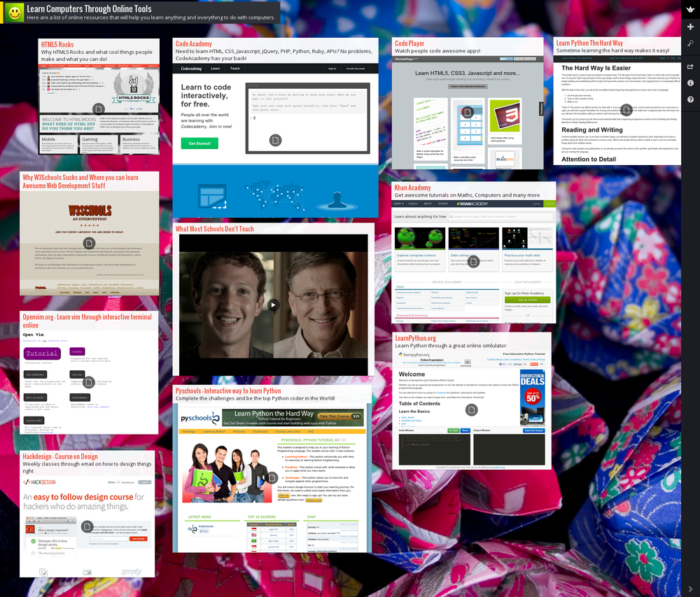
tool called Padlet (http://padlet.com/gallery)
uses the concept of graphic organizers, but does so much more. Teachers and students can use it to create
discussions, timelines, brainstorming webs, take notes, add videos, collect
feedback, and even post and answer quizzes.
The pages are called walls.
Teachers and students can build any number of walls where others can
view, collaborate, and edit. Pictures,
videos, and links are easily added to the wall.
The websites most appealing qualities are its simplicity and potential
for instant collaboration.
If teachers wish
to make the walls private, they can do so.
A teacher adds students to the wall by providing them with the link and
password. Once they are added they can
view and edit the wall. There are many
articles and blogs online that share creative ways to use Padlet in the
classroom. The tool can be utilized to
create KWL charts, graphic organizers, or comparison and contrast charts in
real time. Students can also view and edit
each other’s papers and give suggestions using Padlet.
The
Getting Smart (http://gettingsmart.com/2013/02/padlet-todays-digital-sheet-of-paper/) website offers many useful articles and
ideas about how teachers can engage reluctant readers using technology. The website is organized in three
categories: EdTech, Leadership, and
Learning. A few of the titles included
in a blog series are: “Smart Ways to use
Smart Phones in Class” and “The Future of Learning---Digital, Mobile, Real
Time”. The articles discuss a range of
topics from President Obama’s goal of having a digital book for every student
by 2017, to new concepts like students learning to code (program a computer),
to BYOD (bring your own device) classrooms, to “25 Youtube Channels for Blended
Learning”. The site also includes a
section for Learning Innovations, Learning Videos, Leadership Videos and
Benefits of Blogging as a Learning Tool.

No comments:
Post a Comment